Description
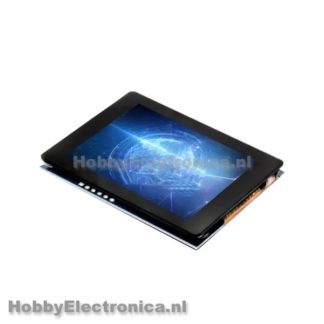
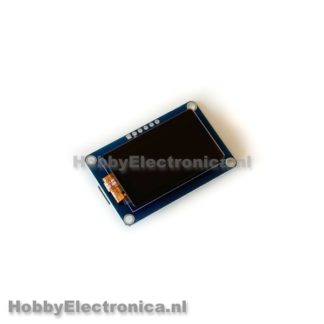
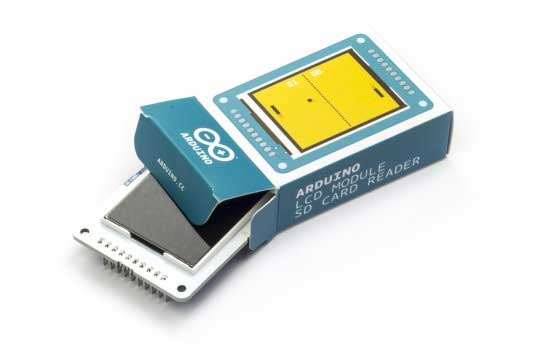
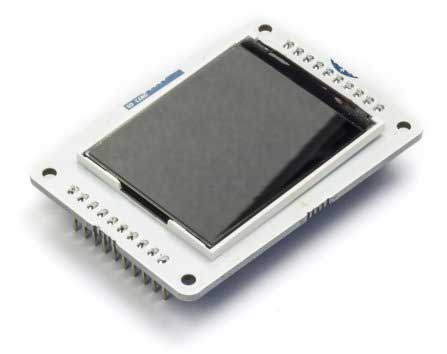
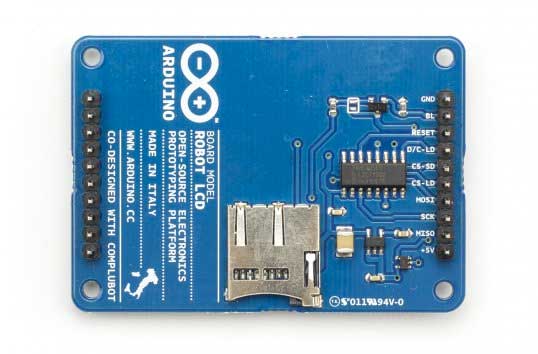
Arduino TFT LCD screen is a 1,77 inch TFT backlight screen with a SPI interface. SD colors up to 18-bits per pixel and a resolution of 160×128. On the back is a micro SD card reader where you can store the images to display on the screen. The header of the shield are made so that they fit on an Esplora or Robot, but also any AVR based Arduino such as the Uno, Leonardo, Mega and Due.
Arduino TFT LCD screen specifications:
– 1,77 inches tall
– SPI interface
– 160×128 resolution
– Operates on 5 VDC
– Micro-SD slot via SD card library
– Backlight can be dimmed via PWM.
More info Arduino TFT LCD screen
Arduino code example:
/*
  Arduino TFT text example

  This example demonstrates how to draw text on the
  TFT with an Arduino. The Arduino reads the value
  of an analog sensor attached to pin A0, and writes
  the value to the LCD screen, updating every
  quarter second.

  This example code is in the public domain

  Created 15 April 2013 by Scott Fitzgerald

  http://arduino.cc/en/Tutorial/TFTDisplayText

 */

#include <TFT.h>  // Arduino LCD library
#include <SPI.h>

// pin definition for the Uno
#define cs   10
#define dc   9
#define rst  8

// pin definition for the Leonardo
// #define cs   7
// #define dc   0
// #define rst  1

// create an instance of the library
TFT TFTscreen = TFT(cs, dc, rst);

// char array to print to the screen
char sensorPrintout[4];

void setup() {

  // Put this line at the beginning of every sketch that uses the GLCD:
  TFTscreen.begin();

  // clear the screen with a black background
  TFTscreen.background(0, 0, 0);

  // write the static text to the screen
  // set the font color to white
  TFTscreen.stroke(255,255,255);
  // set the font size
  TFTscreen.setTextSize(2);
  // write the text to the top left corner of the screen
  TFTscreen.text("Sensor Value :\n ",0,0);
  // ste the font size very large for the loop
  TFTscreen.setTextSize(5);
}

void loop() {

  // Read the value of the sensor on A0
  String sensorVal = String(analogRead(A0));

  // convert the reading to a char array
  sensorVal.toCharArray(sensorPrintout, 4);

  // set the font color
  TFTscreen.stroke(255,255,255);
  // print the sensor value
  TFTscreen.text(sensorPrintout, 0, 20);
  // wait for a moment
  delay(250);
  // erase the text you just wrote
  TFTscreen.stroke(0,0,0);
  TFTscreen.text(sensorPrintout, 0, 20);
}
Only logged in customers who have purchased this product may leave a review.
Shipping within the Netherlands
This product will be delivered via PostNL letter post in a bubble envelope.- €3.45 shipping costs for orders under €25.
- €2.95 shipping costs for orders between €25 - €45.
- Orders above € 45,- will be
park for free sent by PostNL letter post.
Ordered before 16:30 PM on workdays, shipped the same day!
Click here for costs outside the Netherlands.

apm.de.haas (verified owner) –
works well.
not as shield, does not fit.
but with a breadboard it's perfect.
bornwird (verified owner) –
Just connect and upload a sketch and you have an image.
Sharp image for a TFT LCD.