Description
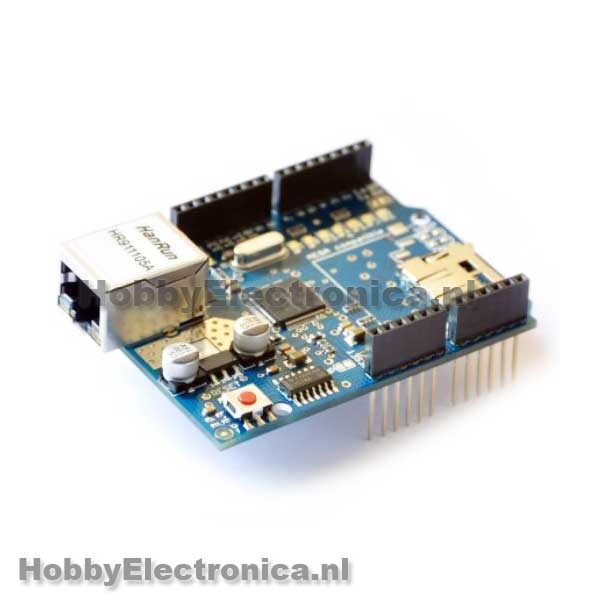
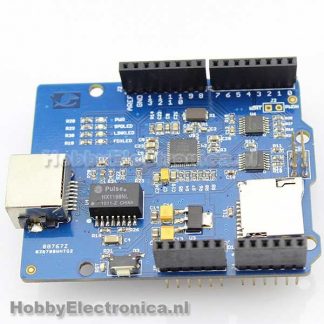
Shield Ethernet W5100 pour l'Arduino Uno et l'Arduino Mega basé sur le contrôleur Ethernet w5100.
Pour vous connecter à un site Web ou exécuter vous-même un serveur Web.
Avec un emplacement pour une carte micro SD, afin que vous puissiez stocker des données.
Spécifications du blindage Ethernet W5100 :
– Fonctionne sur 5 Volts.
– Contrôleur Ethernet : W5100 avec tampon interne 16K.
– Vitesse de connexion : 10/100Mo
– Connexion à votre Arduino via SPI via l'en-tête ICSP.
– Avec emplacement pour carte micro SD pour stocker des fichiers.
– Utilisez la bibliothèque Ethernet pour écrire des croquis.
– Compatible avec l’Arduino Uno et Mega.
Exemple de code Arduino :
Aucune bibliothèque supplémentaire n'est requise, elle est standard dans l'IDE Arduino. Voir les exemples ci-dessous :
Serveur Web Arduino
Serveur Web Arduino avec pression barométrique
/*
  Web Server

 A simple web server that shows the value of the analog input pins.
 using an Arduino Wiznet Ethernet shield.

 Circuit:
 * Ethernet shield attached to pins 10, 11, 12, 13
 * Analog inputs attached to pins A0 through A5 (optional)

 created 18 Dec 2009
 by David A. Mellis
 modified 9 Apr 2012
 by Tom Igoe

 */

#include <SPI.h>
#include <Ethernet.h>

// Enter a MAC address and IP address for your controller below.
// The IP address will be dependent on your local network:
byte mac[] = {
  0xDE, 0xAD, 0xBE, 0xEF, 0xFE, 0xED };
IPAddress ip(192,168,1,177);

// Initialize the Ethernet server library
// with the IP address and port you want to use
// (port 80 is default for HTTP):
EthernetServer server(80);

void setup() {
 // Open serial communications and wait for port to open:
  Serial.begin(9600);
   while (!Serial) {
    ; // wait for serial port to connect. Needed for Leonardo only
  }


  // start the Ethernet connection and the server:
  Ethernet.begin(mac, ip);
  server.begin();
  Serial.print("server is at ");
  Serial.println(Ethernet.localIP());
}


void loop() {
  // listen for incoming clients
  EthernetClient client = server.available();
  if (client) {
    Serial.println("new client");
    // an http request ends with a blank line
    boolean currentLineIsBlank = true;
    while (client.connected()) {
      if (client.available()) {
        char c = client.read();
        Serial.write(c);
        // if you've gotten to the end of the line (received a newline
        // character) and the line is blank, the http request has ended,
        // so you can send a reply
        if (c == '\n' && currentLineIsBlank) {
          // send a standard http response header
          client.println("HTTP/1.1 200 OK");
          client.println("Content-Type: text/html");
          client.println("Connection: close");  // the connection will be closed after completion of the response
      client.println("Refresh: 5");  // refresh the page automatically every 5 sec
          client.println();
          client.println("");
          client.println("");
          // output the value of each analog input pin
          for (int analogChannel = 0; analogChannel < 6; analogChannel++) {
            int sensorReading = analogRead(analogChannel);
            client.print("analog input ");
            client.print(analogChannel);
            client.print(" is ");
            client.print(sensorReading);
            client.println("
");
          }
          client.println("");
          break;
        }
        if (c == '\n') {
          // you're starting a new line
          currentLineIsBlank = true;
        }
        else if (c != '\r') {
          // you've gotten a character on the current line
          currentLineIsBlank = false;
        }
      }
    }
    // give the web browser time to receive the data
    delay(1);
    // close the connection:
    client.stop();
    Serial.println("client disonnected");
  }
}
Seuls les clients connectés ayant acheté ce produit peuvent rédiger un avis.
Expédition aux Pays-Bas
Ce produit est livré par colis postal PostNL.- 6.95 € de frais de port pour les commandes inférieures à 100 €.
- Les commandes supérieures à 100 € seront acceptées
gratuitement envoyé.
- Vous pouvez également utiliser du pakjegemak.
Informations complémentaires Commandé avant 16h30 les jours ouvrables, expédié le jour même !
Cliquez ici pour connaître les coûts en dehors des Pays-Bas.


apm.de.haas (propriétaire vérifié) –
fonctionne bien.
ainsi qu'un lecteur de carte